Data synced to your CRM
Updates go automatically from Shopify to SuperOffice. Orders are summarized on each customer, rather than added as separate order records.
- Customer names, email addresses and phone numbers.
- Optional order summaries, tags, email marketing status, customer history, language and location.
- Related Shopify B2B companies, linked to the customers being synced.
Show 21 CRM fields
Bidson CRM Sync creates missing fields and reuses compatible fields in SuperOffice. Native name, email, and phone fields are used where supported and are not listed below.
| Field name | Data type |
|---|---|
| Customer ID (Shopify) | LongText |
| Store (Shopify) | LongText |
| Last synced (Shopify) | ShortText |
| Sync origin (Shopify) | ShortText |
| Import ID (Shopify) | ShortText |
| Orders (Shopify) | Number |
| Total spent (Shopify) | Decimal |
| Last order date (Shopify) | UnlimitedDate |
| Last order value (Shopify) | Decimal |
| Average order value (Shopify) | Decimal |
| Tags (Shopify) | LongText |
| Email marketing status (Shopify) | ShortText |
| Customer since (Shopify) | UnlimitedDate |
| Last customer update (Shopify) | ShortText |
| Language (Shopify) | ShortText |
| City (Shopify) | LongText |
| Region (Shopify) | ShortText |
| Country (Shopify) | ShortText |
| Currency (Shopify) | ShortText |
| Company ID (Shopify) — Contact | LongText |
| Store (Shopify) — Contact | LongText |
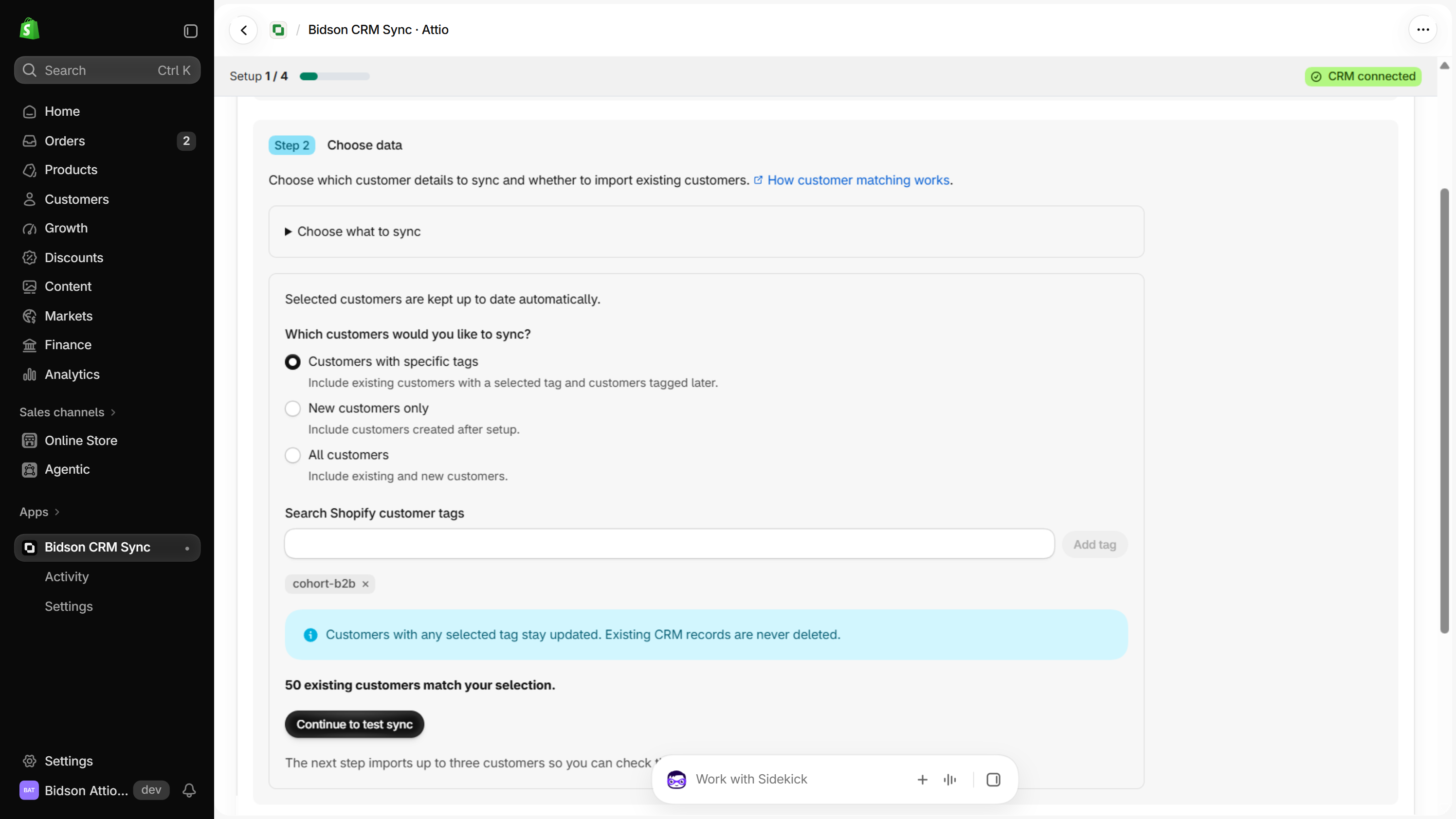
Choose which customers to sync
Sync all customers, only new customers, or customers with selected Shopify tags. You can import existing customers now or later.
Before you start
- You need permission to install apps in Shopify and connect your SuperOffice account.
- You need SuperOffice Online, administrator approval and API access. An administrator must review and publish the fields Bidson prepares before sync can start.
- Allow people without a company. Your account needs room for 19 person fields and two company fields.